- CRM
- Sales
How CRM Software Transforms Your Sales Pipeline: A Practical Guide
Your sales team is only as effective as the tools they use. Discover how modern CRM software eliminates manual busywork, provides AI-powered insights, and helps you close deals faster while building lasting customer relationships.
The Hidden Cost of Operating Without CRM
How much revenue is your sales team leaving on the table? Consider these common scenarios:
- Leads fall through the cracks because follow-ups aren’t tracked
- Sales reps spend 65% of their time on non-selling activities like data entry and email
- Managers can’t forecast revenue because pipeline visibility is limited to spreadsheets
- Customer history is lost when reps change roles or leave the company
If any of these sound familiar, your business is paying an invisible tax on revenue growth. Modern CRM software eliminates these inefficiencies — and the results are dramatic.
Organizations that implement CRM see an average 29% increase in sales revenue, according to Salesforce research. At NETLINKS Inc., we’ve seen clients achieve even higher gains when CRM is properly integrated with their broader ERP ecosystem.
What Modern CRM Actually Does
Today’s CRM is far more than a contact database. Here’s what a properly implemented CRM system delivers:
Lead Management & Scoring
- Automatic lead capture from website forms, email, social media, and phone calls
- AI-powered lead scoring that ranks prospects by conversion probability
- Assignment rules that route leads to the right sales rep based on territory, industry, or deal size
- Nurture campaigns that automatically engage cold leads until they’re sales-ready
Pipeline Management
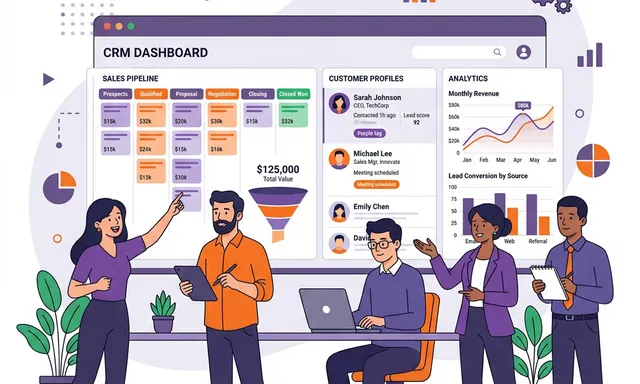
- Visual pipeline stages (Prospect → Qualified → Proposal → Negotiation → Closed Won)
- Probability-weighted forecasting at each stage
- Stale deal alerts when opportunities haven’t progressed
- Win/loss analysis to understand what drives conversions
Customer 360° View
- Complete interaction history — every email, call, meeting, and support ticket in one place
- Purchase history and lifetime value calculations
- Communication preferences and engagement patterns
- Cross-sell and upsell recommendations based on buying behavior
Sales Automation
- Automated follow-up sequences triggered by prospect behavior
- Quote generation with pre-configured pricing and discount rules
- E-signature integration for frictionless deal closing
- Auto-generated activity reports that eliminate end-of-day logging
CRM Implementation Best Practices
1. Start With Your Sales Process, Not Features
Before configuring a single field, document your actual sales process:
- How do leads enter your pipeline?
- What qualifies a lead as sales-ready?
- What are your pipeline stages and conversion criteria?
- Who approves discounts and special terms?
- What happens after a deal closes?
Your CRM should mirror and enhance your real process — not force your team into a generic workflow.
2. Keep It Simple at Launch
The biggest CRM adoption killer is complexity. Start with:
- Contact and company records
- Lead and opportunity tracking
- Basic pipeline stages
- Activity logging
Then add advanced features (automation rules, custom reports, integrations) once your team is comfortable with the basics.
3. Integrate With Your ERP
CRM in isolation creates a new data silo. When CRM is integrated with your ERP system, the power multiplies:
- Sales sees real-time inventory — no more selling products you don’t have
- Quotes automatically create sales orders — eliminating double entry
- Customer payment history is visible during negotiations
- Support tickets inform sales conversations about account health
4. Invest in Mobile CRM
Your sales team isn’t always at their desk. Mobile CRM capabilities are essential:
- Log meeting notes immediately after client visits
- Check customer history before walking into meetings
- Update deal status from the field
- Receive real-time notifications on lead activity
5. Measure What Matters
Track these CRM KPIs to ensure adoption and ROI:
| Metric | Why It Matters | Target |
|---|---|---|
| Lead response time | Faster response = higher conversion | < 1 hour |
| Pipeline velocity | Speed from lead to close | Trending down |
| Win rate | Percentage of opportunities won | > 25% |
| Average deal size | Revenue per closed opportunity | Trending up |
| CRM adoption rate | Percentage of team actively using CRM | > 90% |
Odoo CRM: The Integrated Advantage
While standalone CRM tools like Salesforce and HubSpot are popular, they come with significant limitations:
- Per-user licensing costs that scale quickly ($75–$300/user/month)
- Integration complexity with your ERP, accounting, and inventory systems
- Data synchronization issues between disconnected platforms
- Vendor lock-in with proprietary data formats
Odoo CRM offers a fundamentally different approach: CRM that’s natively integrated with your entire business. Sales orders flow directly to inventory. Invoices generate automatically. Customer support tickets are visible in the sales pipeline. All in a single, unified platform — with no per-user licensing fees.
Real-World CRM Use Cases
Manufacturing Company
A manufacturing client was tracking leads in spreadsheets and losing 30% of inquiries. After implementing Odoo CRM:
- Lead response time dropped from 48 hours to 2 hours
- Pipeline visibility increased win rate by 35%
- Automated follow-ups recovered $2.4M in stale opportunities in the first year
Professional Services Firm
A consulting firm needed to track complex multi-stakeholder deals. With CRM:
- Complete client interaction history reduced onboarding time for new consultants by 50%
- Activity tracking revealed that clients contacted 5+ times before proposal had 3x higher close rate
- Automated reporting saved partners 6 hours per week on pipeline reviews
Getting Started With CRM
Whether you’re implementing CRM for the first time or replacing an underperforming system, NETLINKS Inc. can help you design, deploy, and optimize a CRM solution that drives measurable sales growth.
Stay Informed with Expert Insights
Discover the latest trends in ERP, AI, and digital transformation from our certified technology experts.
100+



Resources to boost
your growth