- ERP
- Customization
When to Customize Your ERP — And When to Adapt Your Process Instead
One of the most critical decisions in any ERP project: should you customize the software to match your process, or adapt your process to match best practices? Here's a practical framework for making the right call.
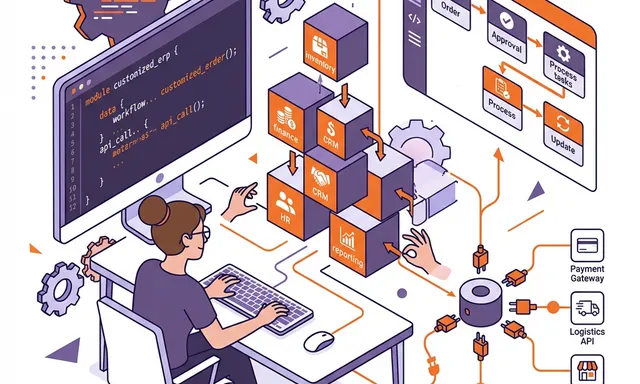
The Customization Dilemma
Every ERP implementation reaches the same crossroads: a business process doesn’t match the software’s out-of-the-box workflow. At this moment, someone will ask: “Can we customize it to work the way we do today?”
The answer is almost always “yes” — modern platforms like Odoo are highly extensible. But “can we?” is the wrong question. The right question is “should we?”
Excessive customization is the single biggest risk factor in ERP implementations. Over-customized systems are:
- Expensive to build — custom development costs add up quickly
- Expensive to maintain — custom code must be updated with every platform upgrade
- Difficult to support — standard documentation and community resources don’t cover custom features
- Fragile — custom code introduces bugs and integration points that standard features don’t have
Yet some customization is absolutely necessary. No two businesses are identical, and a rigid out-of-the-box implementation often fails to deliver the competitive advantages that justify the ERP investment.
The Decision Framework
Customize When:
1. The process is a genuine competitive advantage
If a workflow is what differentiates your business — your proprietary manufacturing process, your unique customer service approach, your innovative pricing model — it makes sense to build the ERP around it.
Example: A specialty manufacturer has a unique multi-stage quality testing process that is critical to their industry reputation. Customizing the quality module to support their specific workflow preserves competitive advantage.
2. Regulatory or industry requirements demand it
Some industries have non-negotiable compliance requirements that standard ERP features don’t address:
- FDA-regulated manufacturers needing specific lot traceability
- Government contractors requiring DCAA-compliant cost accounting
- Financial services organizations with specific audit trail requirements
3. The standard process creates significant operational friction
If the out-of-the-box workflow forces users to perform work-arounds that waste substantial time or introduce errors, customization improves adoption and efficiency.
4. Integration requirements demand custom data flows
When connecting to proprietary third-party systems, custom API integrations are often necessary. These are among the most defensible customizations.
Adapt Your Process When:
1. Your current process is a legacy habit, not a strategic choice
Ask: “Why do we do it this way?” If the answer is “because we’ve always done it that way” — challenge the assumption. ERP best practices often represent decades of cross-industry learning.
2. The standard process is measurably better
Sometimes the ERP vendor’s workflow is simply more efficient. If Odoo’s standard three-way matching for purchase orders is faster and more reliable than your manual process, adopt it.
3. The customization would be expensive relative to its value
If a customization costs $50,000 to build and saves 2 hours per month, the payback period is measured in decades. Not worth it.
4. The customization would complicate upgrades
Core module modifications that touch fundamental data models will break with every major version upgrade. The ongoing maintenance cost often exceeds the initial development cost.
Types of Customization (From Low to High Risk)
| Type | Risk Level | Example | Upgrade Impact |
|---|---|---|---|
| Configuration | Very Low | Changing field labels, adding dropdown values | None |
| Custom reports | Low | New dashboard or financial report | Minimal |
| Custom fields | Low | Adding fields to existing models | Minimal |
| Automation rules | Low-Medium | Automated email on status change | Low |
| Custom modules | Medium | New standalone module for specialized workflow | Moderate |
| Core modifications | High | Changing how standard modules work internally | Significant |
| Data model changes | Very High | Modifying database structure of core modules | Major |
The Golden Rule
Configure before you customize. Customize in new modules rather than modifying core modules. Never modify the core data model unless absolutely necessary.
Best Practices for ERP Customization
1. Document the Business Case
For every customization request, document:
- What the customization does
- Why it’s needed (business justification)
- Who benefits and how
- How much it will cost to build and maintain
- What happens if we don’t customize (what’s the workaround?)
2. Build Custom Modules, Don’t Modify Core
Odoo’s modular architecture allows you to extend functionality through custom modules that sit alongside — rather than modifying — core modules. This approach:
- Preserves upgrade compatibility
- Isolates custom code for easier debugging
- Allows enabling/disabling customizations independently
- Makes it clear what’s standard vs. custom
3. Plan for Upgrades
Before any customization, ask: “What happens when we upgrade to the next version?” Custom modules that use stable APIs usually migrate smoothly. Core modifications may require expensive rework.
4. Use Standard APIs and Extension Points
Odoo provides official extension mechanisms:
- Inherited views — modify forms and lists without replacing them
- Server actions — add automation without custom code
- Computed fields — add calculated data without new database columns
- Webhooks — trigger external integrations on events
Using these mechanisms ensures better compatibility and maintainability.
5. Keep a Customization Registry
Maintain a living document that tracks every customization:
- Module name and version
- Business justification
- Technical approach
- Dependencies on core modules
- Owner responsible for maintenance
- Estimated upgrade effort
The NETLINKS Approach
At NETLINKS Inc., we follow a simple principle: maximize business value while minimizing customization risk.
Our approach:
- Configure first — exhaust standard configuration options before proposing custom development
- Evaluate process change — challenge legacy habits and demonstrate standard best practices
- Design for maintainability — build custom modules that are upgrade-safe and well-documented
- Document everything — every customization has a business case, technical specification, and maintenance plan
This disciplined approach delivers 4,500+ implementations where the system continues to evolve with the business — not fight against it.
Stay Informed with Expert Insights
Discover the latest trends in ERP, AI, and digital transformation from our certified technology experts.
100+



Resources to boost
your growth